Lifecycle management with KedroSession and KedroServiceSession
Overview
A session allows you to manage the lifecycle of Kedro runs, decoupling Kedro's library components, managed by KedroContext, and any session data (both static and dynamic data). As a result, Kedro components and plugins can access session data without the need to import the KedroContext object and library components.
Kedro provides two session classes, based on the abstract base class AbstractSession:
-
KedroSession:- Manages the lifecycle of a Kedro run, for single-run execution of Kedro pipelines.
- Persists runtime parameters with corresponding session IDs.
- Captures session metadata, including CLI context and environment information, alongside runtime parameters.
-
KedroServiceSession:- Manages the lifecycle of Kedro components in a multi-run execution environment.
- Allows you to run pipelines multiple times in the same session, with different runtime parameters for each run.
- Ideal for service use cases, where you want to keep the session alive and run pipelines on demand, such as in a web service or API.
Note
KedroServiceSession is in active development and might be subject to occasional breaking changes. We encourage you to try it out and share your feedback with us.
The main methods and properties of both KedroSession and KedroServiceSession are:
create(): Create a new instance of session class with session dataload_context(): InstantiateKedroContextobject. ForKedroServiceSession, this method accepts an optionalruntime_paramsargument, which allows you to update theKedroContextparameters for that runclose(): Close the current session. ForKedroSession, this also saves the session data to disk ifsave_on_closeis set toTrue.run(): Run the pipeline with the arguments provided; see Running pipelines for details
Create a KedroSession
The following code creates a KedroSession object as a context manager and runs a pipeline inside the context, with session data provided. This script can be called from anywhere in your Kedro project as the root folder will automatically be located. The session automatically closes after exit:
from pathlib import Path

from kedro.framework.session import KedroSession
from kedro.framework.startup import bootstrap_project
from kedro.utils import find_kedro_project

# Get project root
current_dir = Path(__file__).resolve().parent
project_root = find_kedro_project(current_dir)
bootstrap_project(Path(project_root))

# Create and use the session
with KedroSession.create(project_path=project_root) as session:
    session.run()
You can provide the following optional arguments in KedroSession.create():
project_path: Path to the project root directorysave_on_close: A Boolean value that indicates whether to save the session to disk when it closesenv: Environment for theKedroContextruntime_params: Optional dictionary containing runtime project parameters for the underlyingKedroContext; if specified, this updates (and takes precedence over) parameters retrieved from the project configurationconf_source: Optional argument to specify the configuration source for theKedroContext
Create a KedroServiceSession
The following code creates a KedroServiceSession object as a context manager and runs a pipeline inside the context, with session data provided. Like the above example, this script can be called from anywhere in your Kedro project as the root folder will automatically be located. The session automatically closes after exit:
from pathlib import Path

from kedro.framework.session import KedroServiceSession
from kedro.framework.startup import bootstrap_project
from kedro.utils import find_kedro_project

# Get project root
current_dir = Path(__file__).resolve().parent
project_root = find_kedro_project(current_dir)
bootstrap_project(Path(project_root))

# Create and use the session
session = KedroServiceSession.create(project_path=project_root)
# first run
session.run(runtime_params={"param1": "value1"})

# second run with different runtime parameters
session.run(runtime_params={"param1": "value2"})

# close the session when done
session.close()
You can provide the following optional arguments in KedroServiceSession.create():
session_id: Identifier for the session; if not provided, a unique session ID will be generated automaticallyproject_path: Path to the project root directoryenv: Environment for theKedroContextconf_source: Optional argument to specify the configuration source for theKedroContext
The main differences in the create() method between KedroSession and KedroServiceSession are:
KedroServiceSessiondoes not have thesave_on_closeargument.KedroServiceSessiondoes not have theruntime_paramsargument, as runtime parameters are provided in therun()method for each run, allowing you to update theKedroContextparameters for that specific run.
bootstrap_project and configure_project
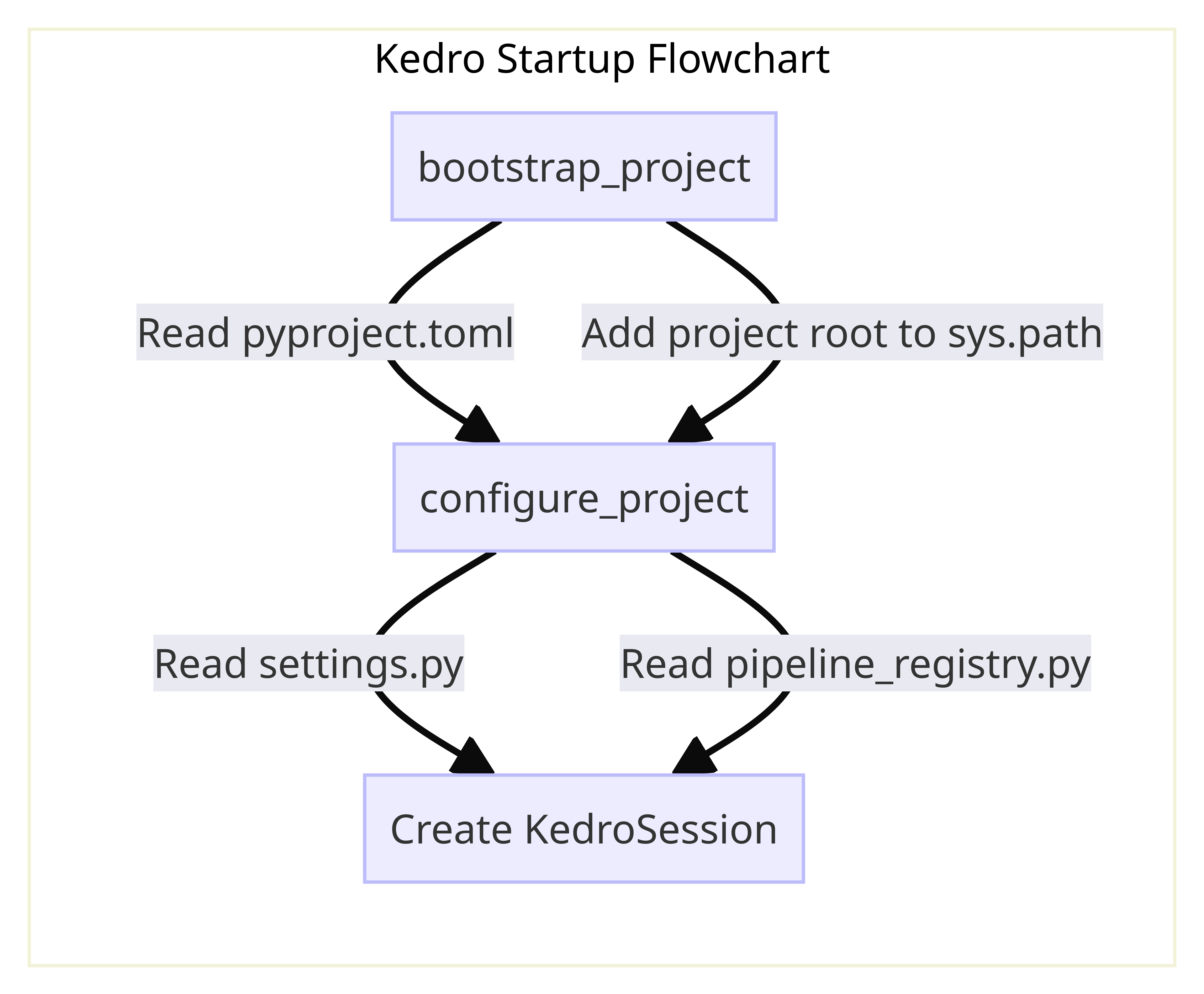
graph LR
  subgraph Kedro_Startup_Flowchart
    A[bootstrap_project] -->|Read pyproject.toml| B
    A -->|Add project root to sys.path| B[configure_project]
    C[Initialise a session]
    B --> |Read settings.py| C
    B --> |Read pipeline_registry.py| C
  end
Both bootstrap_project and configure_project handle the setup of a Kedro project, but there are subtle differences: bootstrap_project is used for project mode, and configure_project is used for packaged mode.
Kedro's CLI runs the functions at startup as part of kedro run so in most cases you don't need to call these functions. If you want to interact with a Kedro project programmatically in an interactive session such as Notebook, use %reload_kedro line magic with Jupyter or IPython.
bootstrap_project
This function uses configure_project, and also reads metadata from pyproject.toml and adds the project root to sys.path so the project can be imported as a Python package. It is typically used to work directly with the source code of a Kedro project.
configure_project
This function reads settings.py and pipeline_registry.py and registers the configuration before Kedro's run starts. If you have a packaged Kedro project, run configure_project before executing your pipeline.
ValueError: package name not found
ValueError: Package name not found. Make sure you have configured the project using
bootstrap_project. This should happen automatically if you are using Kedro command line interface.
If you are using multiprocessing, you need to be careful about this. Depending on your Operating System, you may have different default. If the processes are spawn, Python will re-import all the modules in each process and thus you need to run configure_project again at the start of the new process. For example, this is how Kedro handles this in ParallelRunner:
if multiprocessing.get_start_method() == "spawn" and package_name:
        _bootstrap_subprocess(package_name, logging_config)